Heed
The Strava of meditation
Train your attention like you train your body. Heed logs every meditation, whichever app you use, and puts it in a feed of people who keep each other going.
Download on the App StoreFree for iPhone. Syncs with Apple Health.
Or open Heed in your browser →One feed for every session
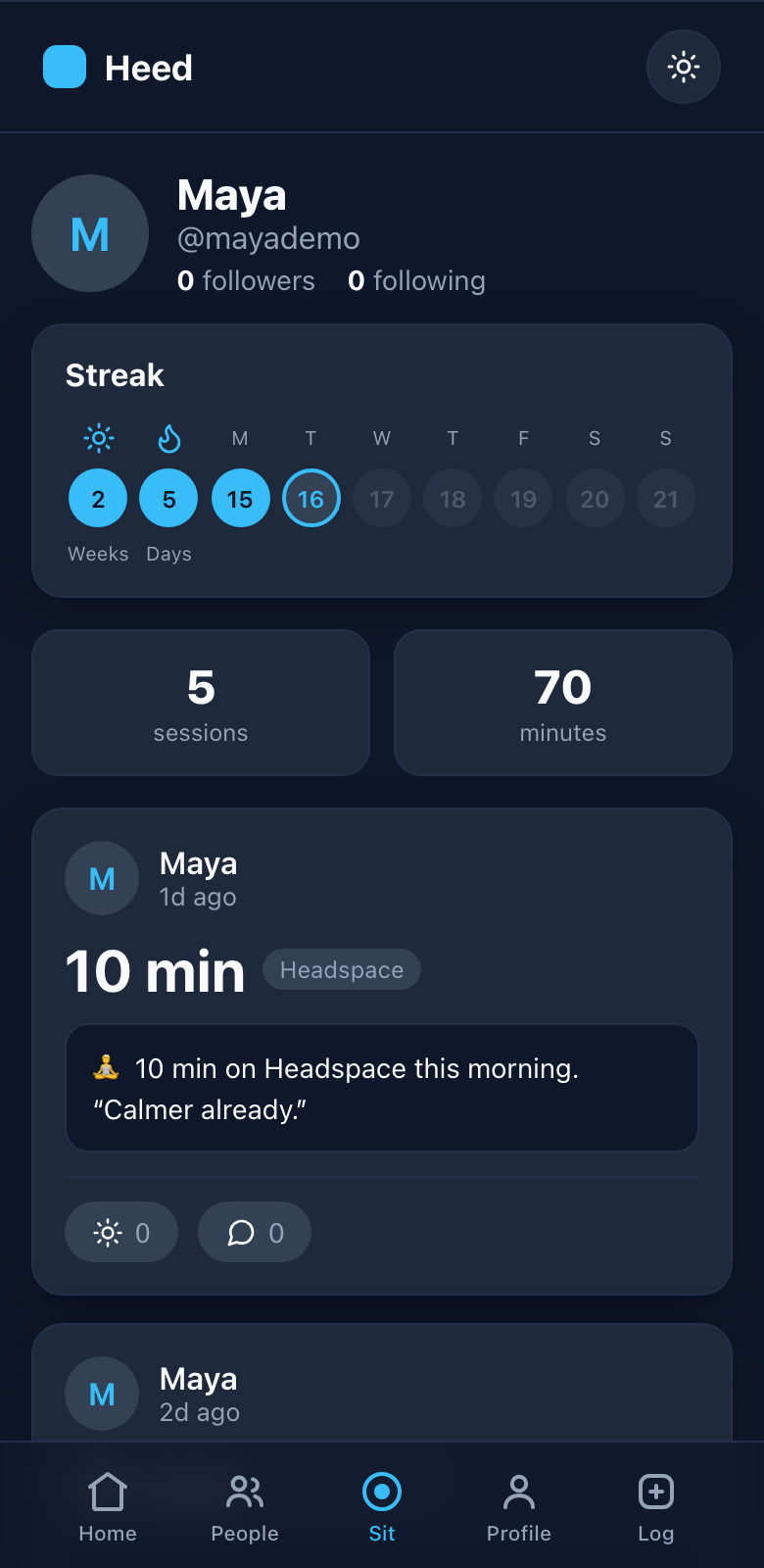
Meditate with Heed's built-in timer or any app you already love: Waking Up, Headspace, Calm. Each session lands in a friendly feed with your streak and a ready-to-share note.
Why the habit sticks
Day and week streaks you'll want to protect. Don't break the chain.
Follow friends, cheer each other on, and make meditation something you talk about.
Connect Apple Health once and sessions from any meditation app log themselves. Or use Heed's own silent timer with a gentle chime.
Every session comes with a pre-written message. Post it in a single tap.
Get Heed on your iPhone
Heed is free on the App Store. The app connects to Apple Health, so a sit in Waking Up, Headspace or Calm shows up in your feed by itself, with nothing to log. Requires iOS 15 or later.
Download on the App StorePrefer to use Heed in the browser?
Heed also works as a web app, without Apple Health sync. Add it to your Home Screen from Safari in about 15 seconds:
- 1Open it in Safari
Go to heed-app.com in Safari (this flow is Safari-only).
- 2Tap the Share button
It's the Share icon in Safari's toolbar, a square with an arrow pointing up.
- 3Choose “Add to Home Screen”
Scroll down the share options and tap it.
Add to Home ScreenDon't see it? Scroll to the bottom, tap Edit Actions…, then add Add to Home Screen.
- 4Tap “Add”
Confirm with Add in the top-right corner. The blue Heed icon appears on your Home Screen.
Heed